ITIGIC

Technical How-tos, Tips, and Tricks

  • Home
  • Computers
    • Windows
    • Mac & macOS
    • Linux
    • Hardware
  • Phones & Tablets
  • Apps & Software
    • Mobile Apps
    • Software
    • Online Tools & Services
  • Internet & Security
  • Gaming
  • Smart Devices
    • Gadgets
    • Wearables

How to

Follow step-by-step guides to set up devices, use software, fix common problems and get more from your computers, phones and online services.

Password

How to view your saved passwords on iPhone, iPad and Mac

December 26, 2019 Matt Mills 0

One of the security recommendations that we have always given when creating a password on the internet is that it is complete and includes a […]

apple-tv

How to restore Apple TV and leave it as if it were new

December 26, 2019 Matt Mills 0

The operating system of an Apple TV, tvOS, is perhaps not as complex as that of an iPhone or iPad, but it may have certain […]

android-to-tv

How to send your Android screen to a Smart TV or Chromecast

December 25, 2019 Matt Mills 0

Sometimes you would like to show some of your mobile on your living room television, or you would simply like to have a more expanded […]

error-191

Error 191 when downloading from the Microsoft Store, how to fix it

December 25, 2019 Matt Mills 0

Users have reported for months that there are occasions where Microsoft Store applications cannot be installed. This occurs especially in those applications developed for the […]

google-slides-templates

Google Slides: How to create and use a template

December 23, 2019 Matt Mills 0

If you are one of those people who need to carry out the same project with the same structure, but you are tired of repeating […]

format-with-powershell

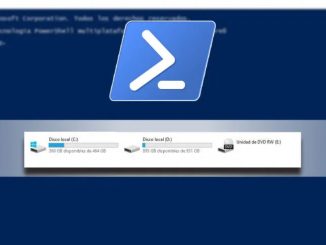
How to format a USB or hard drive with PowerShell

December 23, 2019 Matt Mills 0

If our intention is to format an external hard drive, USB or SSD, we can do it in several ways, which incorporates Windows 10. But […]

resize-image-mac-preview

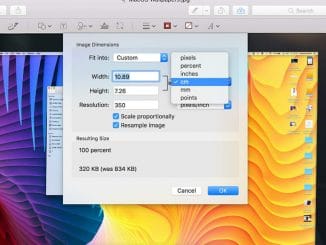
How to resize photos on Mac without installing applications

December 20, 2019 Matt Mills 0

A Mac computer can be a very good team with which to make photo editing, being able to perform works with very powerful and advanced […]

ps4-controller

How to connect your PS4 controller to iPad or iPhone

December 18, 2019 Matt Mills 0

With the arrival of Apple Arcade both the iPad and the iPhone are gaining a lot of weight in the world of video games, but […]

Google Calendar

How to copy a Google Calendar event to another email account

December 16, 2019 Matt Mills 0

There are many users who have multiple email accounts on your phone. So if you are one of those and use Google Calendar to organize […]

paypal-payment

How to cancel automatic payments in PayPal

December 16, 2019 Matt Mills 0

If you are subscribed to any service with payments through PayPal and you want to cancel your services to be sure that no other payment […]

disable-siri

Don’t want Siri to record you? How to avoid it and erase its history

December 16, 2019 Matt Mills 0

One of the most important controversies Apple has had to weigh in relation to user privacy has clearly been Siri’s listening without our knowledge. Faced […]

guest-mode

How to disable the guest mode in Google Chrome

December 16, 2019 Matt Mills 0

The guest mode in Google Chrome can be used with intentions that do not interest us, such as having friends or family with access to […]

print-photos

How to Print Photos Directly From Windows 10

December 16, 2019 Matt Mills 0

Print photos in Windows 10 from File Explorer or Microsoft Photos. Choose 4×6 paper, print several pictures on a sheet, and prevent cropping.

windows-defender

How to Set Exceptions in Windows Defender and Avoid False Positives

December 13, 2019 Matt Mills 0

The main purpose of an antivirus , such as Windows Defender, is to protect us from all types of malware that could compromise our security. […]

memoji

Not a lover of memojis? So you can disable them from the keyboard easily

December 12, 2019 Matt Mills 0

With the arrival of iOS 13.3 Apple included the possibility of deactivating the keyboard of memojis that appears when we access the keyboard of traditional […]

Posts pagination

« 1 … 485 486 487 … 490 »

gaming setup highlighting AMD Ryzen's integrated graphics

Budget CPUs With Integrated Graphics: What to Compare

November 19, 2024 0

Compare AMD desktop CPUs with integrated graphics for a budget gaming PC. Check the GPU model, memory, motherboard and real Valorant benchmarks.

Top Headphones for Gamers

Headphones for Gaming and Music: What to Check First

October 30, 2024 0

Choose headphones by connection, microphone and comfort. Compare useful headset and wired options without confusing console versions or noise isolation.

google pixel best charger

Google Pixel Chargers: USB-C PD, PPS and Wattage Explained

October 11, 2024 0

Last updated: 11 October 2026 A charger’s maximum wattage is its capacity, not the power every Pixel will draw. Charging depends on the phone model, […]

Car display with a microphone, speech bubble and call icon

Android Auto Keeps Asking Who to Call? Here’s What to Try

November 6, 2026 0

Android Auto keeps asking who to call? Test a saved name and a spoken number, try a workaround while parked, and learn how to report the issue.

Prevent Google from Closing Your Account

Keep a Google Account Active: Policy and Practical Steps

December 30, 2024 0

Google will delete accounts inactive for over two years starting December 2023. Learn how to keep your account active and safeguard your data.

Gemini AI's integration with Google Drive

How to Use Gemini in Google Drive to Find and Organise Files

December 30, 2024 0

Use Gemini in Google Drive to search and summarise files, review sources and suggest folder moves. Check plan access and keep control of changes.

Laptop showing two file windows with folders and a connected USB flash drive

What Happens to My Files If I Turn Off OneDrive Folder Backup?

November 23, 2026 0

See where Desktop, Documents, and Pictures files go when you stop OneDrive folder backup. Compare both choices and test your local copy offline.

A laser printer beside an open laptop on an office desk

Windows 11 Printers “Not Connected” After KB5132043? What to Check

November 17, 2026 0

Windows 11 shows every printer as “Not connected” after KB5132043? Check the Print Spooler, test Microsoft Print to PDF, and see what your IT team can try.

A person holding an iPhone near a tabletop smart display

Apple HomeView Setup Failed? What to Try

November 17, 2026 0

Apple HomeView won’t pair or gets stuck on Update Requested? Check your iPhone, Home app ownership and Wi-Fi, then learn when to restart or reset.

Copyright © 2026 ITIGIC | Privacy Policy | Contact Us |