Updated on November 10, 2026.
Apple’s compact external Magic Keyboard (USB-C) for Mac has no backlight. If you type in a dark room, check for backlit keys on the exact model before buying. There are cheaper Mac-compatible keyboards with that feature.
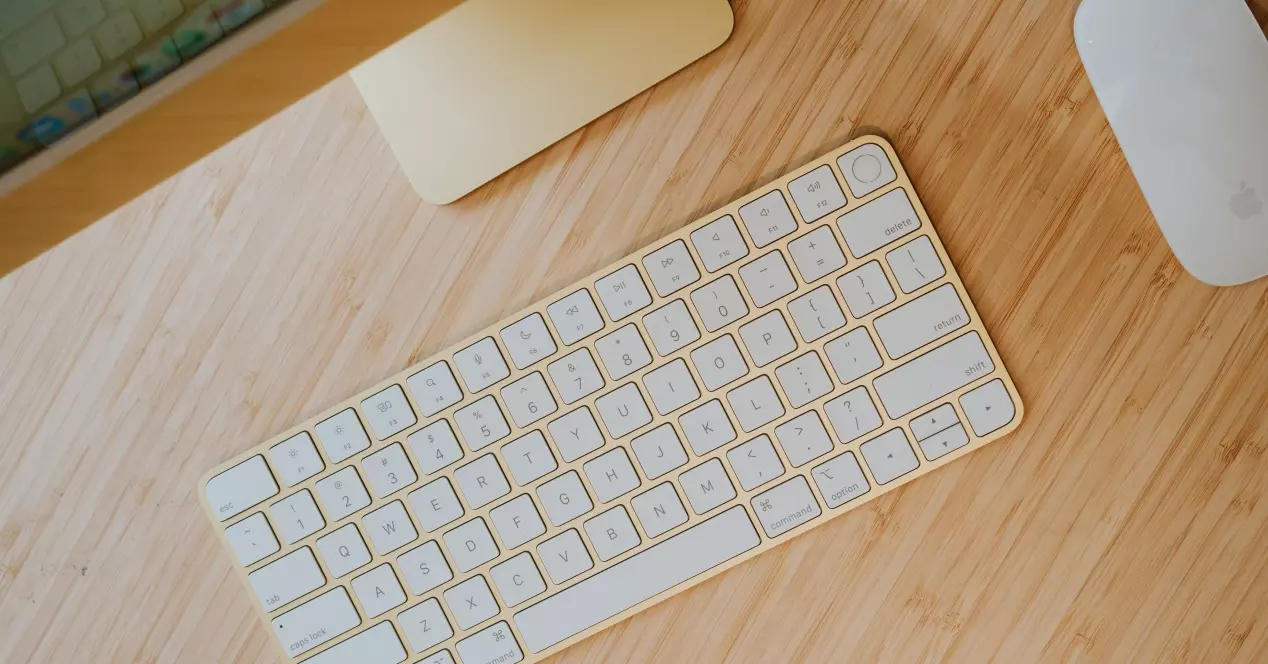
Check which Apple keyboard you mean
- External Magic Keyboard for Mac. The compact USB-C model uses Bluetooth and has a rechargeable battery. Apple gives no public reason for omitting backlighting from this model. The Apple specs identify it as the Magic Keyboard (USB-C).
- MacBook keyboard. If your laptop has a backlit built-in keyboard, open System Settings > Keyboard and adjust Keyboard brightness. See Apple’s Mac keyboard brightness instructions.
- Magic Keyboard for iPad. This name also covers keyboard cases. Some have backlighting, including the model covered by Apple’s 11-inch iPad Pro keyboard specs. Check your iPad model and the exact case.
Cheaper keyboards for Mac
| Keyboard | Backlight | Connection | U.S. price |
|---|---|---|---|
| Apple Magic Keyboard (USB-C) | No | Bluetooth | $99.99 |
| Macally Compact Backlit (BLMINIZKEYSG) | Yes, adjustable | Wired USB-A | $49.99 |
| Satechi Slim X1 Bluetooth Backlit | Yes, adjustable | Bluetooth | $69.99 |
| Logitech Pebble Keys 2 K380s | No | Bluetooth | $39.99 list price |
These U.S. prices were checked on November 10, 2026. Check the key layout, current price, and availability before buying. See the listings from Best Buy, Macally, Satechi, and Logitech.
Pick the features you’ll use
Choose the Macally if you want adjustable lighting and can use a cable. It needs a USB-A port or adapter. The Satechi is a wireless option with backlit keys and macOS shortcuts. If you only want a smaller bill and type with the lights on, the Logitech is the least expensive of these examples.
If you’re buying a new Mac at the same time, check whether it already includes a keyboard. See our guide to what comes in the Mac box.
Frequently asked questions
Can I turn on a backlight for the external Magic Keyboard in macOS?
The compact Magic Keyboard (USB-C) has no lighting hardware. The brightness controls in macOS work with supported backlit keyboards, such as the built-in keyboard on compatible MacBook models.
Which of these cheaper keyboards has backlighting?
The Macally Compact Backlit uses a USB-A cable. The Satechi Slim X1 Bluetooth Backlit is wireless. The Logitech Pebble Keys 2 is a cheaper Bluetooth option if you can do without lit keys.
Can I get Touch ID on one of these cheaper keyboards?
These alternatives lack a Touch ID sensor. To use Touch ID from an external Apple keyboard, choose a Magic Keyboard with Touch ID and check that your Mac supports it. See Apple’s Touch ID keyboard requirements.