Updated on November 23, 2026
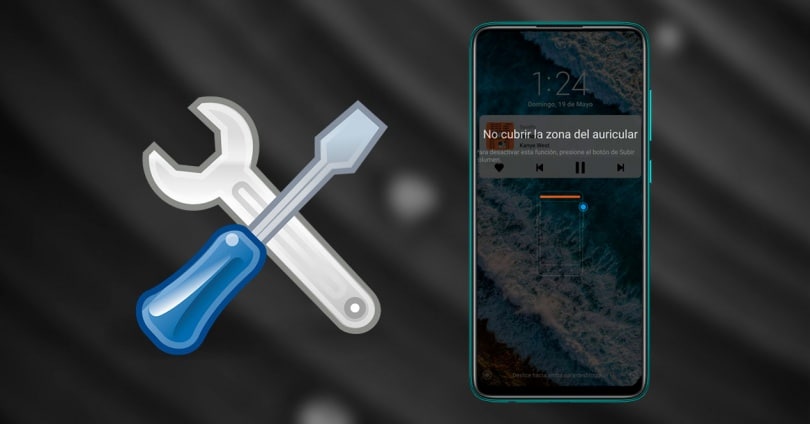
When a Xiaomi, Redmi, or POCO phone says “Don’t cover the earphone area”, it usually thinks the top of the screen is blocked and is preventing accidental taps. Uncover the top of the phone, wipe it with a clean dry cloth, and lock and wake the screen again. If the message returns on an uncovered phone, check the case and screen protector before changing Pocket mode.
Clear the Warning and Find the Cause
- Uncover the top of the screen. Move your fingers away from the earpiece and bring the screen into the open. If the warning itself shows a shortcut, such as pressing Volume Up, follow that prompt to dismiss it temporarily.
- Remove the case and test again. Open and close any flip cover, or take the case off completely. If the warning stops, check whether the cover or a raised lip sits over the top edge.
- Check the screen protector. Look for dirt, bubbles, or an opaque border covering the sensor area. Test without an ordinary removable protector if the warning started after you installed it.
- Restart the phone and check for updates. If it happens every time you wake the screen, test with accessories removed and the phone lying face up.
Where to Find Pocket Mode
Search Pocket mode in Settings. On some Xiaomi phones it’s under Settings → Lock screen → Pocket mode. The label can vary or be absent depending on the model and MIUI or HyperOS version. Xiaomi shows the setting in its Pocket mode guide.
If it keeps blocking touch when the phone is uncovered, turn off Pocket mode temporarily and test. The switch also turns off the protection against accidental touches in a pocket or bag. If the setting is missing, use the accessory and restart checks above.
When It May Be a Proximity Sensor Problem
Make a normal call with the phone off speaker and see whether the screen goes dark near your ear and comes back when you move it away. If the screen stays black after calls or your cheek keeps pressing buttons, follow the Xiaomi call-screen troubleshooting guide. Different models detect proximity differently. If both problems started after a drop or a screen replacement, ask Xiaomi support or the repair shop to inspect it.
Frequently Asked Questions
What Does Don’t Cover the Earphone Area Mean?
The phone thinks an object is close to the top of the screen. It blocks touches to help prevent accidental inputs.
Does Pressing Volume Up Fix It Permanently?
On models that show the shortcut, it dismisses the current warning. It can come back if the phone still detects an obstruction.
Why Did the Message Start After I Replaced My Screen Protector?
The new protector may cover a sensing area, or a border or bubble may interfere. Try a protector designed for your exact model.
Can I Turn Pocket Mode Back On?
Yes, if your phone offers the switch. Return to Lock screen settings and turn it back on after testing the phone without the obstruction.